Password list · Checked October 2026
Default Router Username and Password List (2026)
Most routers ship with the username admin and a simple default router password such as admin, password or a blank field. Find your brand or internet provider below, but check the sticker on your router first. Newer routers print a unique password there.
These links open your own router only while you are connected to it.
How to Use This List
- Find your router brand or internet provider in the tables below.
- Open the login address shown for it, such as 192.168.1.1 or 192.168.0.1.
- Try the default username and password. If they fail, use the details on the router label.
- Change the admin password as soon as you log in.
Default router passwords are public, so anyone on your WiFi could use them to change your settings. Use this list only on a router you own or manage. New to router logins? Start with our 192.168.1.1 login guide.
Router Brands: Default Login IP, Username and Password
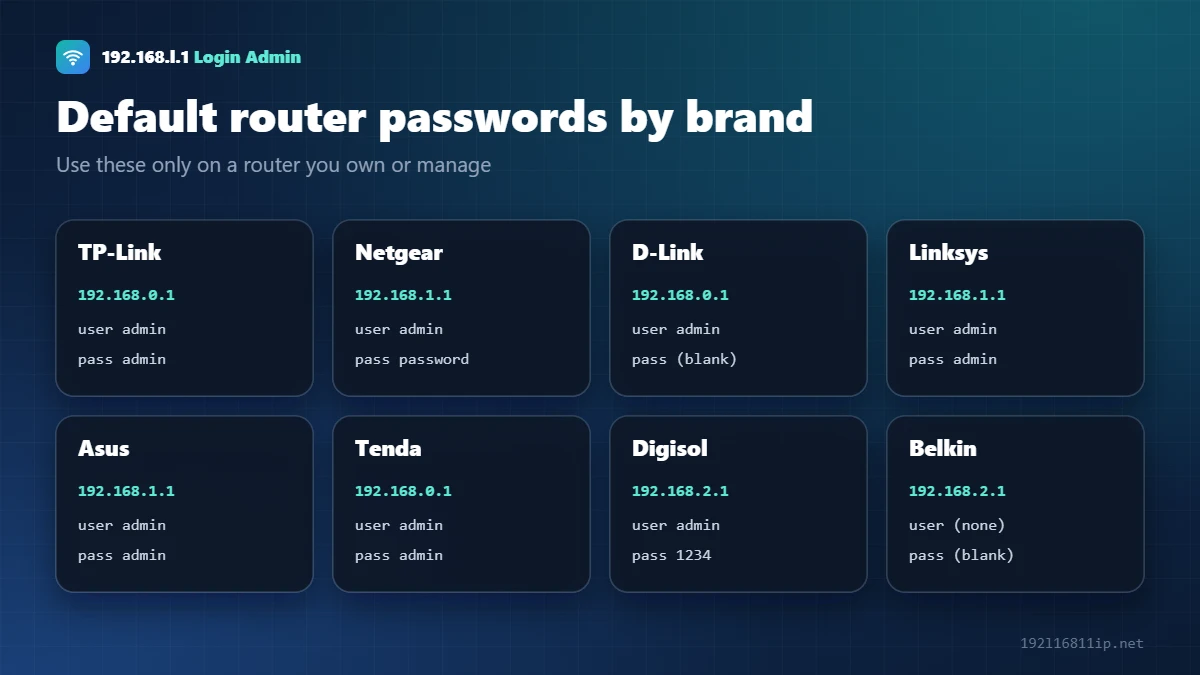
| Brand | Login address | Username | Password |
|---|---|---|---|
| TP-Link | 192.168.0.1, 192.168.1.1 or tplinkwifi.net | admin | admin (newer models ask you to create one) |
| Netgear | 192.168.1.1 or routerlogin.net | admin | password |
| D-Link | 192.168.0.1 | admin | blank |
| Linksys | 192.168.1.1 | admin | admin |
| Asus | 192.168.1.1 or router.asus.com | admin | admin |
| Tenda | 192.168.0.1 or tendawifi.com | admin | admin, or set during setup |
| Huawei | 192.168.1.1, 192.168.3.1 or 192.168.100.1 | admin | printed on the label |
| ZTE | 192.168.1.1 | admin or user | admin or user |
| Xiaomi | 192.168.31.1 or miwifi.com | none | set during setup |
| Mercusys | 192.168.1.1 or mwlogin.net | none | created on first login |
| Digisol | 192.168.2.1 | admin | 1234 or admin |
| Belkin | 192.168.2.1 | none | blank |
| iBall Baton | 192.168.1.1 | admin | admin |
Internet Provider (ISP) Router Passwords
Routers from internet providers often use their own login. A technician may also have changed it during installation.
| Provider | Login address | Username | Password | Guide |
|---|---|---|---|---|
| Airtel Xstream Fiber | 192.168.1.1 | admin | Label, or password | Airtel login |
| JioFiber | 192.168.29.1 | admin | Label, often Jiocentrum | Jio login |
| BSNL | 192.168.1.1 | admin | admin | – |
| PTCL | 192.168.1.1 or 192.168.10.1 | admin | admin | – |
| IndiHome (ZTE) | 192.168.1.1 | user | user | – |
| Xfinity | 10.0.0.1 | admin | password, or WiFi key on label | 10.0.0.1 login |
| Fiber modem (ONT) | 192.168.100.1 | varies | Label; ISPs often change it | 192.168.100.1 login |
Default Router Password for Popular Brands and Providers
TP-Link router default password
Older TP-Link routers use admin as both the username and password, at 192.168.0.1, 192.168.1.1 or tplinkwifi.net. Newer TP-Link models have no TP-Link router default password at all — the first time you open the login page, you are asked to create one. If you set it and forgot it, a reset is the only way back in.
Jio router default password
JioFiber routers open at 192.168.29.1. The commonly used default login is username admin and password Jiocentrum, but many units print a unique Jio router default password on the label, so check the sticker first. See our Jio router login guide for the full steps.
Airtel router default password
Airtel Xstream Fiber routers usually open at 192.168.1.1 with the username admin. The Airtel router default password differs by model and is printed on the label on the back or bottom of the router. Our Airtel router login guide covers the details.
Netgear and D-Link default password
Netgear routers traditionally use admin and password, and can also be reached at routerlogin.net. Older D-Link routers use admin with a blank password at 192.168.0.1. Newer models from both brands often ask you to set your own password during setup, so if the classic default router password fails, the owner has probably already changed it.
How to Find the Default Router Password If the Label Is Missing
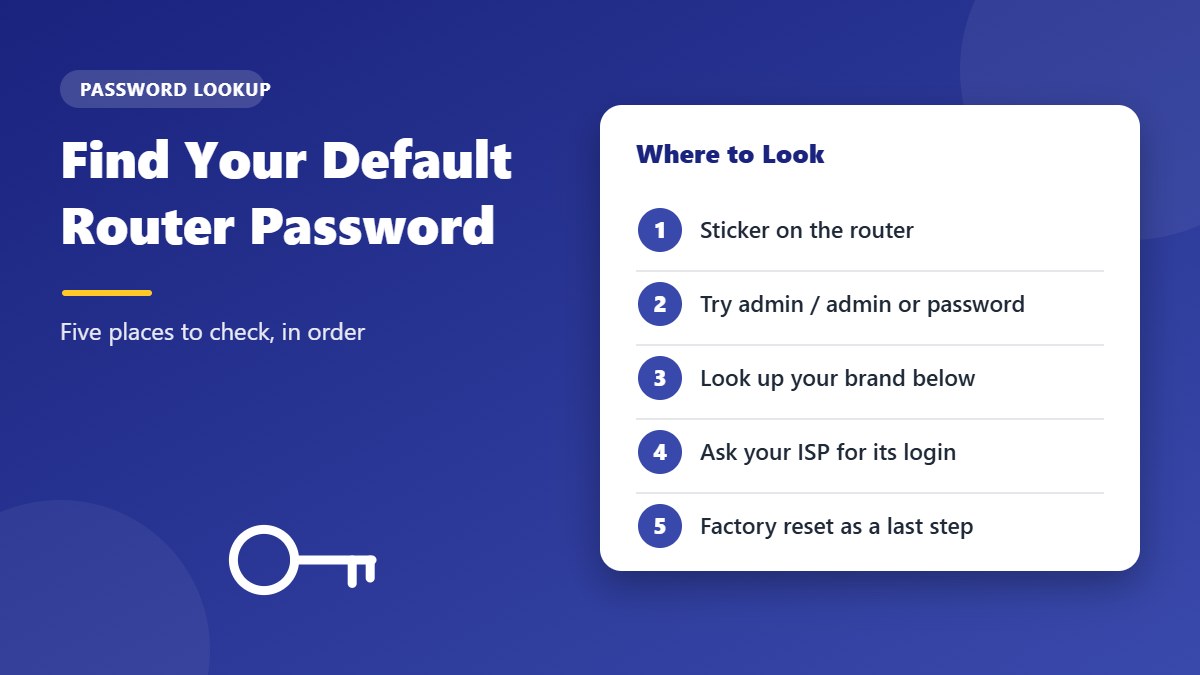
Labels fade, peel off or get covered. If you can’t read the sticker, try these sources in order:
- The quick-start guide or box that came with the router often lists the default router password.
- The manufacturer’s support website — search for your exact model number and “default login”.
- Your internet provider — for ISP routers, the provider can confirm or reset the login for you.
- A factory reset — if nothing else works, resetting returns the router to its factory login, but it also erases all your settings.
Default WiFi Password vs Default Admin Password
Most router labels show two different passwords, and mixing them up is the most common reason a login fails:
- WiFi password (also called WiFi key, WPA key or network key) — used by phones and laptops to join the wireless network. It is usually a long random string.
- Admin password (also called login or router password) — used to open the settings page at an address such as 192.168.1.1. It is often short, like admin or password, or a separate code on the label.
If the long WiFi key does not work on the login page, look for a second, shorter password on the sticker, often next to the word “Admin”, “Login” or “Web”.
Tip: take a photo of the label when you first set up the router. If the sticker wears off later, you will still have both passwords and the login address saved on your phone.
Common Default Login Addresses
The password is only half of the login. You also need the right address. These are the ones you will see most often:
- 192.168.1.1 — Linksys, ASUS, Airtel and many ISP routers
- 192.168.0.1 — D-Link, Tenda and many TP-Link and Netgear models
- 192.168.29.1 — JioFiber
- 10.0.0.1 — Xfinity and some cable gateways
- 192.168.100.1 — many fiber ONTs and cable modems
If none of these open, check the default gateway on your computer or phone. That number is always your router’s login address.
Is It Safe to Keep the Router Default Password?
No. Lists like this one are public, so a router default password protects nothing. Anyone connected to your WiFi — a guest, a neighbour who guessed your WiFi key, or a hacked smart gadget — could log in and change your settings, redirect your traffic, or lock you out.
Change the default router password the first time you log in, choose at least 12 characters, and keep it different from your WiFi password. It takes less than a minute and removes one of the most common ways home networks are attacked.
Why the Default Router Password Might Not Work
- It was changedYou, a family member or a technician set a new password.
- Unique label passwordNewer routers do not share one default. The password on the sticker is the only default.
- Wrong deviceYou may be logging in to the ISP modem instead of your WiFi router, or the other way round.
- Setup not finishedSome routers have no password until you run the setup wizard.
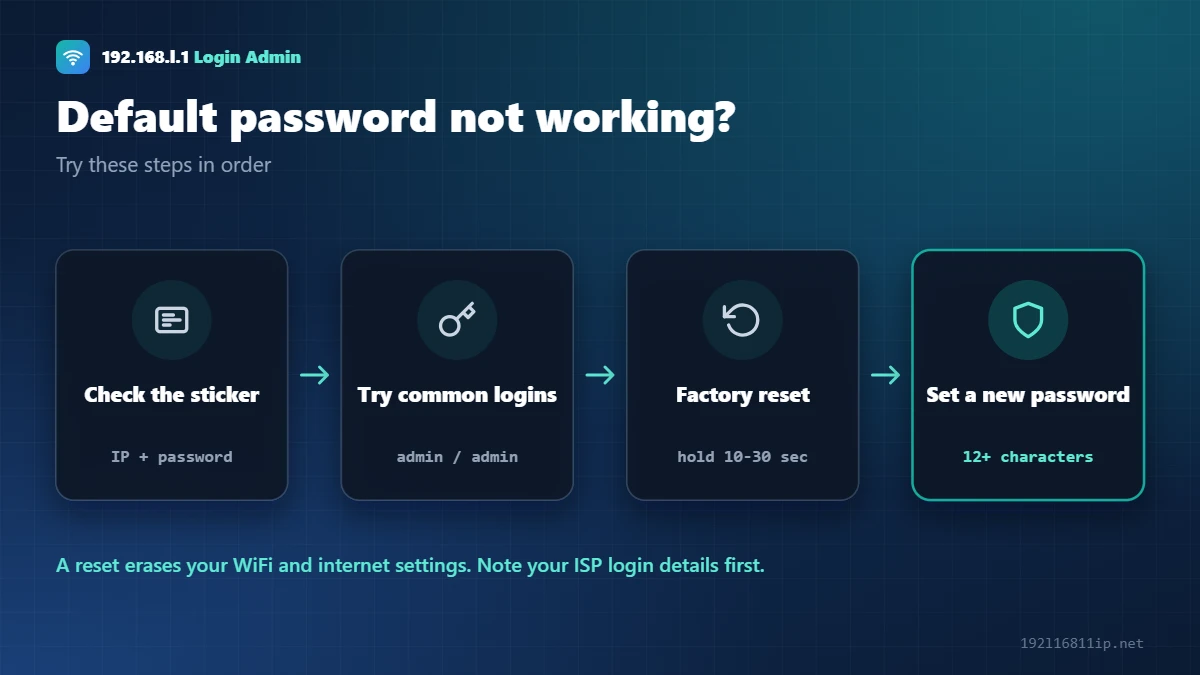
A factory reset brings back the default login, but it erases your WiFi name, password and internet settings. Write down your ISP login details (such as the PPPoE username) first.
Change the Default Router Password Right Away
Every router has two passwords. The admin password protects the settings page, and the WiFi password lets devices join your network. Change both from their defaults.
- Log in to your router with the default details.
- Open System, Administration or Management and set a new admin password.
- Open Wireless or WiFi settings and set a new WiFi password.
- Save, then store both passwords somewhere safe.
Step-by-step menus for each brand are in our guide to changing your WiFi password.
Is It Okay to Use Default Passwords?
Yes, on your own router or one you are allowed to manage. Logging in to someone else’s router without permission is illegal in most countries. This list exists to help owners regain access to their own devices.
Frequently Asked Questions
What is the most common default router password?
The most common combination is admin / admin. Netgear uses admin / password and D-Link often uses admin with a blank password.
Where can I find my router password?
Look at the sticker on the bottom or back of the router. It usually shows the login address, the admin password and the WiFi password.
What is the Jio router default password?
JioFiber routers use admin as the username. Many users report Jiocentrum as the default password, but the password on your router label is the one to trust.
What is the Airtel router default password?
Airtel lists admin / password as the default. Many Airtel Xstream Fiber routers print a unique password on the label.
What if no default password works?
The password was probably changed. Reset the router by holding the reset button for 10–30 seconds, then log in with the label details.
Is it safe to keep the default password?
No. Default passwords are public. Change the admin password and the WiFi password after your first login.
Related Router Guides
Summary
Start with the sticker on your router, then try the brand or provider defaults above. If nothing works, a factory reset restores the default login. Change the admin and WiFi passwords as soon as you are in.