Router login guide · Updated October 2026
Jio Router Login 192.168.29.1 – JioFiber Admin & Default Password
JioFiber routers do not use 192.168.1.1. Their login address is 192.168.29.1. The username is admin, and the password is on the label under the router. Many users report Jiocentrum as the factory password.
The button works only while your device is connected to that router or modem.
Quick Answer: Jio Router Login
- Connect your phone or laptop to the JioFiber WiFi.
- Open a browser and go to 192.168.29.1.
- Enter username
adminand the password from the router label. - Open the Wi-Fi or Network settings, make your change and click Save.
This guide covers JioFiber router login on phone and computer, the Jio router default password, and how to change your Jio WiFi password. For other providers, see our Airtel router login and 192.168.1.1 login guides.
Jio Router Login Address: 192.168.29.1
Most routers use 192.168.1.1 or 192.168.0.1, so many JioFiber users try those first. JioFiber uses 192.168.29.1 instead. Typing 192.168.29.01 can also fail on some browsers. Use 192.168.29.1 exactly.
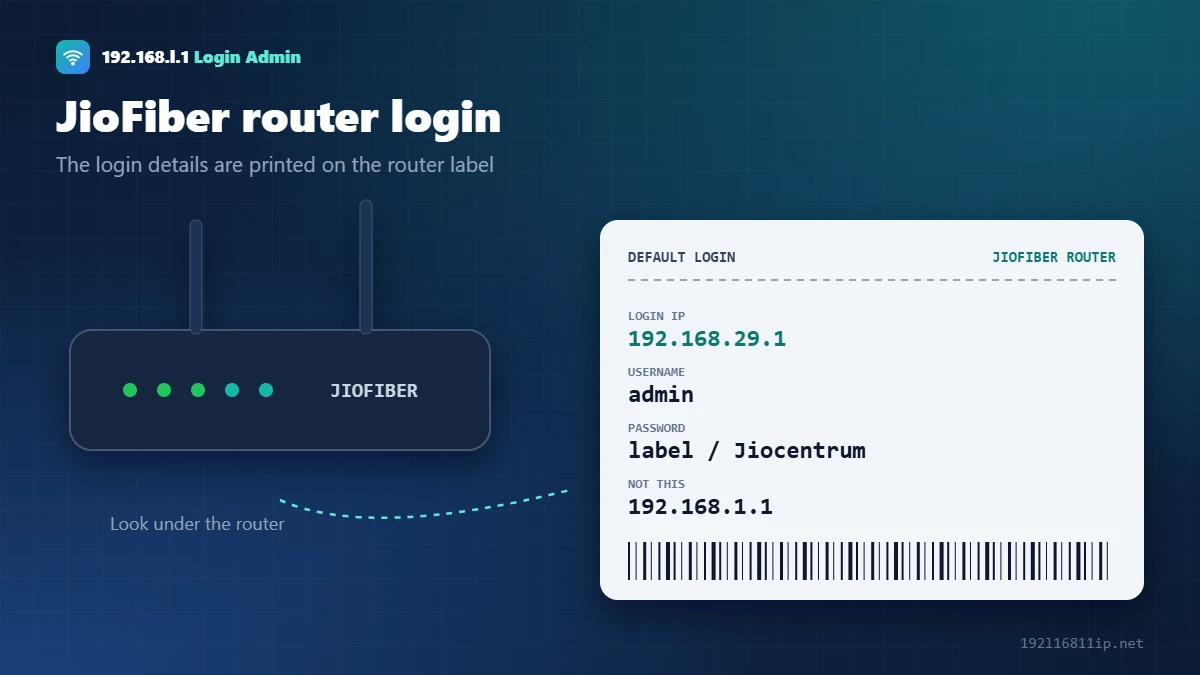
Jio Router Default Username and Password
| Device | Login IP | Username | Password |
|---|---|---|---|
| JioFiber router | 192.168.29.1 | admin | Printed on the label. Jiocentrum is the most reported default. |
| After a factory reset | 192.168.29.1 | admin | The label password. The router may ask you to set a new one. |
| Jio AirFiber | See device label | See label | Managed mainly through the Jio app |
The password is case sensitive. If Jiocentrum does not work, use the label password or ask Jio support. A technician may have changed it during installation.
How to Log In to a Jio Router
On a computer
- Connect to the JioFiber WiFi or plug in a LAN cable.
- Type http://192.168.29.1 in the address bar.
- If a security warning appears, click Advanced and Proceed.
- Log in with admin and the label password.
On a mobile phone
- Join the JioFiber WiFi and turn off mobile data.
- Open Chrome or Safari and type 192.168.29.1.
- Log in. Use desktop mode if the page looks cramped.
- Or use the MyJio or JioHome app for common settings.
How to Change JioFiber WiFi Password
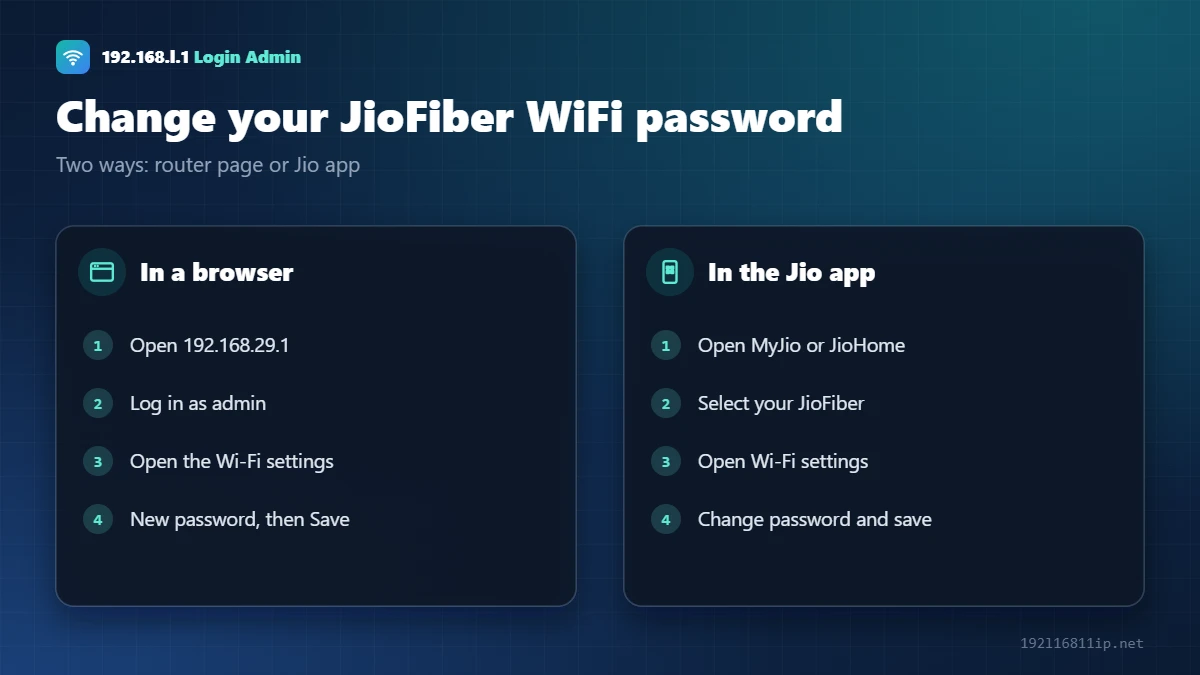
In the browser, log in at 192.168.29.1 and open the Wi-Fi or Wireless settings under the Network menu. Each band (2.4 GHz and 5 GHz) can have its own name and password. Change both, then click Save.
In the app, open MyJio or JioHome, select your JioFiber connection and open the Wi-Fi settings. App menus change after updates, so the names may differ slightly. Steps for other brands are in our WiFi password guide.
Jio Router Login Not Working? 6 Fixes
- Use the right IPJioFiber uses 192.168.29.1, not 192.168.1.1.
- Join the Jio WiFiThe page opens only from devices on your JioFiber network.
- Use httpType http://192.168.29.1 and accept the security warning.
- Check the password caseJiocentrum starts with a capital J.
- Try another browserClear the cache or open a private window.
- Restart the routerPower it off for 30 seconds and wait until the lights settle.
How to Change the JioFiber Admin Password
The admin password protects the router settings and is separate from your WiFi password. After you log in, set your own:
- Sign in to the router admin page with the username and password from the label.
- Open Administration or User Management (the name can vary with the router model and firmware).
- Choose the option to change the login password.
- Enter a new password of at least 12 characters, confirm it and click Save or Apply.
Keep the new password somewhere safe. If you forget it, you will need a factory reset, and on JioFiber that can also disconnect the internet until the connection is set up again.
Speed Up Your JioFiber WiFi
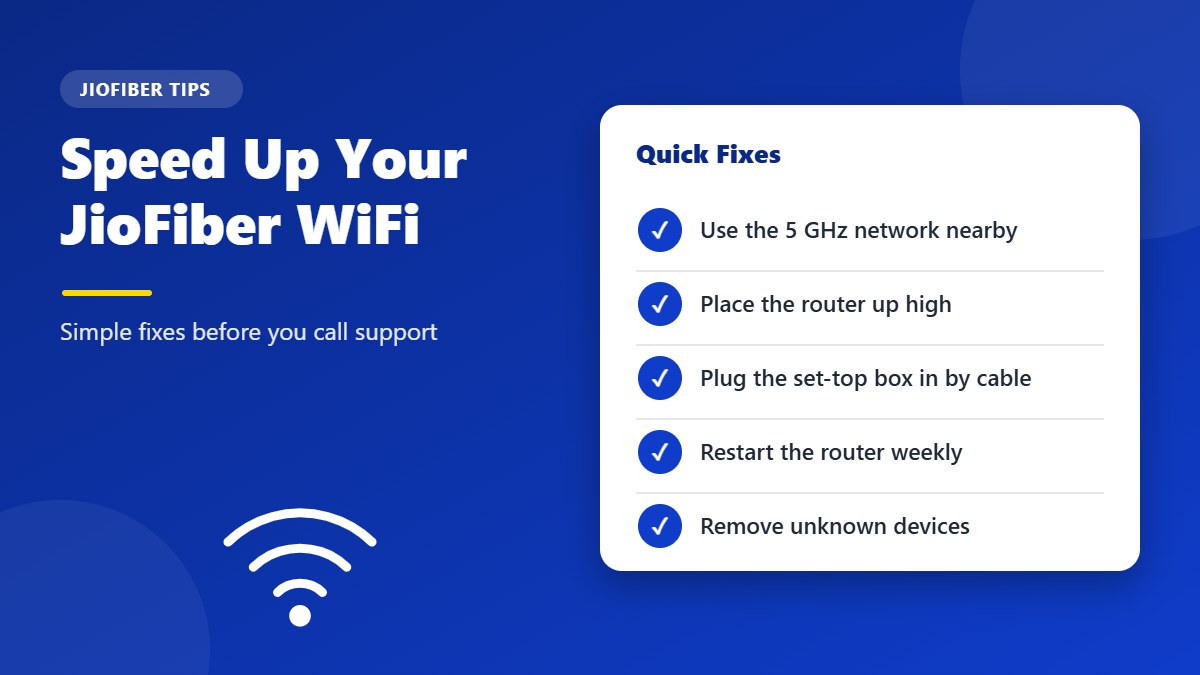
If your speed test shows much less than your plan, try these fixes before raising a complaint:
- Use the 5 GHz network for phones, laptops and smart TVs near the router. It is much faster over short distances than 2.4 GHz.
- Place the router in a central, raised spot, away from thick walls, mirrors and microwave ovens.
- Connect the set-top box and smart TV with a LAN cable if possible, so streaming does not slow down WiFi for everyone else.
- Restart the router once a week by switching it off for 30 seconds.
- Remove unknown devices from the connected list and change your WiFi password if someone is using your connection.
Always run speed tests close to the router, or with a cable, to see the real speed of your line. A test from the far end of the house measures your WiFi coverage, not your plan.
If several family members stream video at the same time in the evening, a mesh system or a second access point can spread the load and remove weak spots in larger homes. Check that any new device you add supports the 5 GHz band.
Secure Your Jio Router
A few settings make your home network much safer:
- Use WPA2-PSK (AES) or WPA3 for WiFi security. Older modes such as WEP can be cracked in minutes — the Wi-Fi Protected Access article explains the differences.
- Set a WiFi password of 12 or more characters, different from the admin password.
- Turn off WPS if you do not use the push-button connection.
- Check the connected devices list every few weeks.
Read our full checklist on how to secure your WiFi network for more tips.
These small habits keep your connection fast and stable without any technical knowledge.
Restart or Reset: Which One Do You Need?
A restart turns the router off and on and keeps every setting. It fixes most slow or dropped connections, so it should always be your first step. A factory reset wipes the WiFi name, passwords and internet settings and brings back the label login. Only reset when you are locked out of the admin page or the settings are badly wrong, and be ready to contact Jio if the internet does not come back afterwards.
Before any reset, note your WiFi name, password and any custom settings so you can put them back quickly afterwards.
Give Guests Their Own WiFi
Many JioFiber routers support a guest network. It gives visitors internet access on a separate network name and password, so they never need your main WiFi password and cannot see your computers, printers or cameras.
- Look for Guest Network or Guest Wi-Fi in the WiFi settings.
- Choose a simple name, such as your family name followed by “Guest”.
- Set a password and, if available, a time limit or speed limit.
- Turn it off when you do not need it.
A guest network is also a good home for smart plugs, bulbs and other gadgets that rarely get security updates.
Tip: keep the router’s power adapter and fiber cable where children and pets cannot pull them. A loose or bent fiber cable is one of the most common reasons for sudden JioFiber outages.
When to Contact Jio Support
Some problems cannot be fixed from the admin page, because Jio manages the internet settings on its routers. Contact Jio through the MyJio app or customer care if:
- A red light stays on, or the internet light is off, even after a restart.
- The internet stopped working after a factory reset.
- The fiber cable is bent, cut or loose at the router.
- You are moving house and need the connection shifted.
Should You Reset a JioFiber Router?
A reset clears the admin password, but it can also remove settings that Jio configured. Contact Jio support through the MyJio app first. If you still reset, hold the reset button for about 10–15 seconds, wait for the restart, and log in with the label details.
Frequently Asked Questions
What is the Jio router login IP?
JioFiber routers use 192.168.29.1. Type it in a browser while connected to your JioFiber WiFi.
What is the Jio router default password?
The username is admin. The password is printed on the router label, and many users report Jiocentrum as the factory default.
Why is 192.168.1.1 not opening my Jio router?
JioFiber routers do not use 192.168.1.1. Use the JioFiber address shown above instead.
How do I change my Jio WiFi password?
Log in to the router and open the Wi-Fi settings, or use the MyJio or JioHome app.
Can I log in to my Jio router from my phone?
Yes. Connect to the JioFiber WiFi, turn off mobile data and open the login address in your phone browser.
Related Router Guides
Summary
Jio router login works at 192.168.29.1 with the username admin and the password on the label. Change your WiFi password in the router page or in the Jio app. This is an independent guide and is not affiliated with Reliance Jio.